
Meta Ads Bulk Uploader for Agencies
With ContentPaul, you create Meta Ads directly in your workflow — and upload them individually or in bulk to Meta Ads Manager.
No switching tools. No manual uploading. No lost overview.








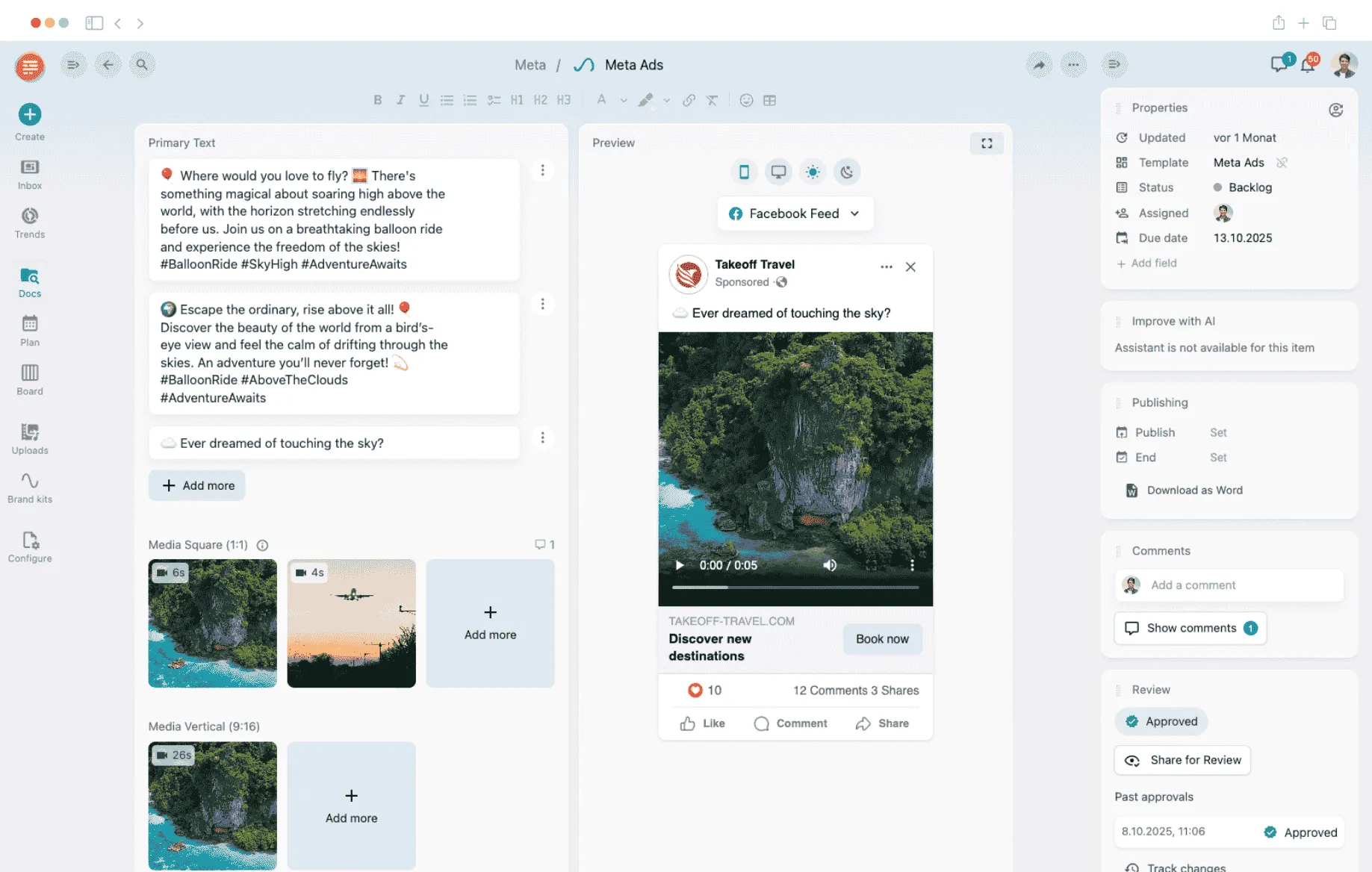


Scale the creation and management of Meta Ads

Many agencies create their ad creatives in one tool, collect approvals in another — and then manually upload the ads to Meta Ads Manager at the end. This fragmented process wastes time, introduces errors, and makes workflows unnecessarily dependent on individual people.
With ContentPaul, you bring the creation, approval, and distribution of Meta Ads into one unified system. Turning ad production into an operational workflow that truly scales.
How it works

Step 1
Connect your Meta Business Account
Link your Meta Business Account to ContentPaul. You decide which ad accounts ContentPaul gets access to.
Step 2
Set up your campaign structure in Meta Ads Manager
Create your campaign and ad set as usual directly in Meta Ads Manager. ContentPaul does not replace your Ads Manager — it complements it where it falls short.

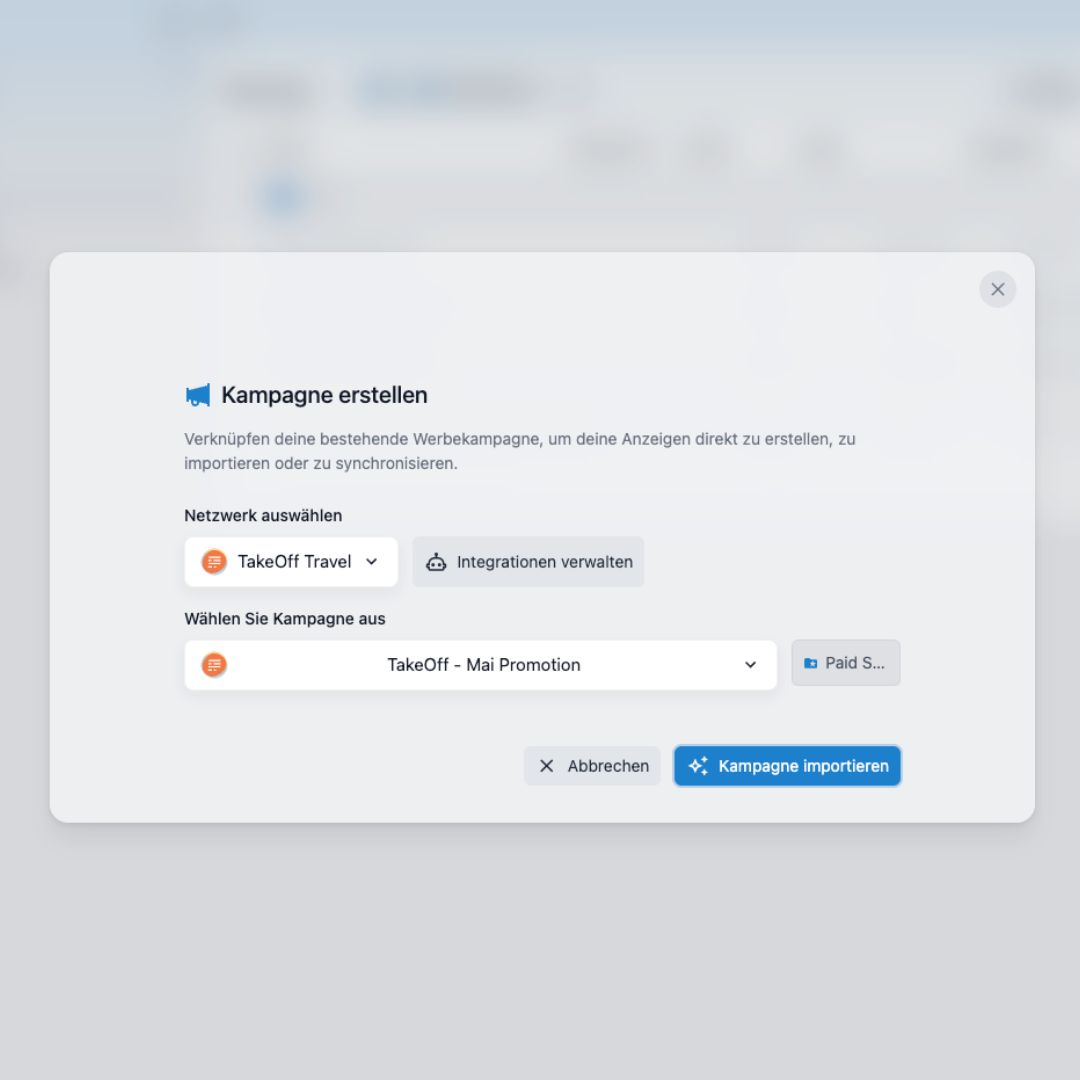
Step 3
Import structure into ContentPaul
Import your campaign structure into ContentPaul with a single click. From here, your familiar workflow takes over.
Step 4
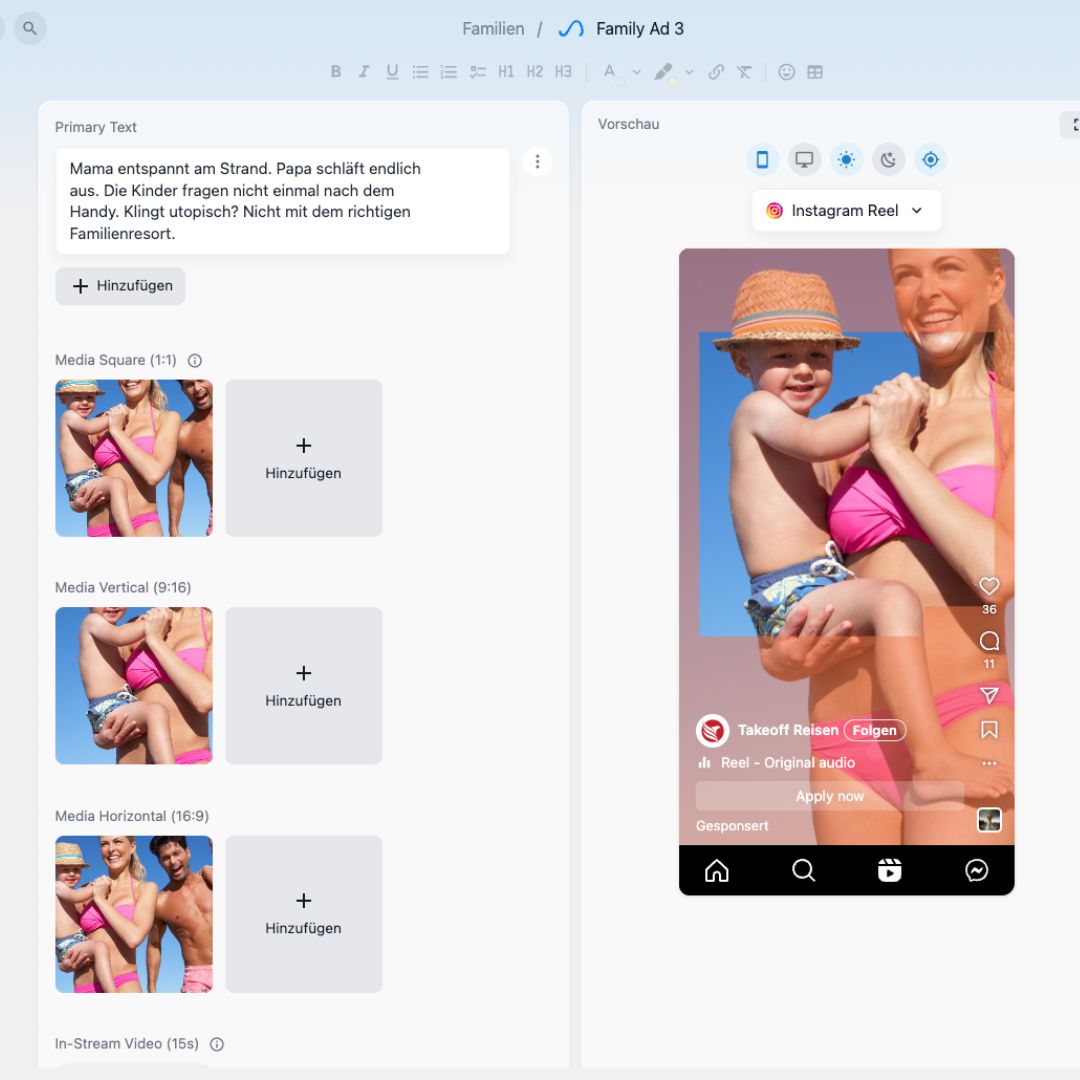
Create & approve Meta Ads
Create your ads directly in ContentPaul. Optionally, get client approval before a single ad reaches the Ads Manager.

Step 5
Upload individually or in bulk
Upload one or all approved ads at once. You decide whether the optional Meta AI Enhancements are enabled.
Step 6
Your ads are live
Your ads are now in Meta Ads Manager — assigned directly to your campaign and ad set. No export, no copy-paste.

What you can do with ContentPaul

Plan content centrally
Create and organize posts for all relevant social media channels in a shared calendar. Keep an eye on campaigns, formats, deadlines, and responsibilities at all times.

Prepare posts efficiently
Texts, images, approvals and channel assignments are managed directly on the post. All information stays where it belongs: with the content itself.

Map approvals cleanly
Internal teams and customers can review and approve content in a structured way. This reduces correction loops and ensures clear responsibilities.

Schedule posts directly
Schedule your posts directly from ContentPaul to the desired social media channels. This is how content planning becomes a real operational workflow.

Maintain an overview
Calendar, Kanban, and list views help you keep track of planned, approved, and published content even with high volumes.

Measure & evaluate performance
Keep an eye on the most important key figures of your content. The integrated analytics and reporting dashboard lets you see how your posts are progressing — without having to switch between tools.
Validated in real agency operations
30-45%
2—4 x
50-70%
100%
Other useful features in ContentPaul
Plan and schedule your content
Always within easy reach Simply drag and drop to adjust release data.

Create posts easily with templates
With ContentPaul, you create posts based on predefined templates — quickly, consistently and efficiently.

Post to multiple accounts at once
Publish content in parallel on different accounts — select and publish with one click.

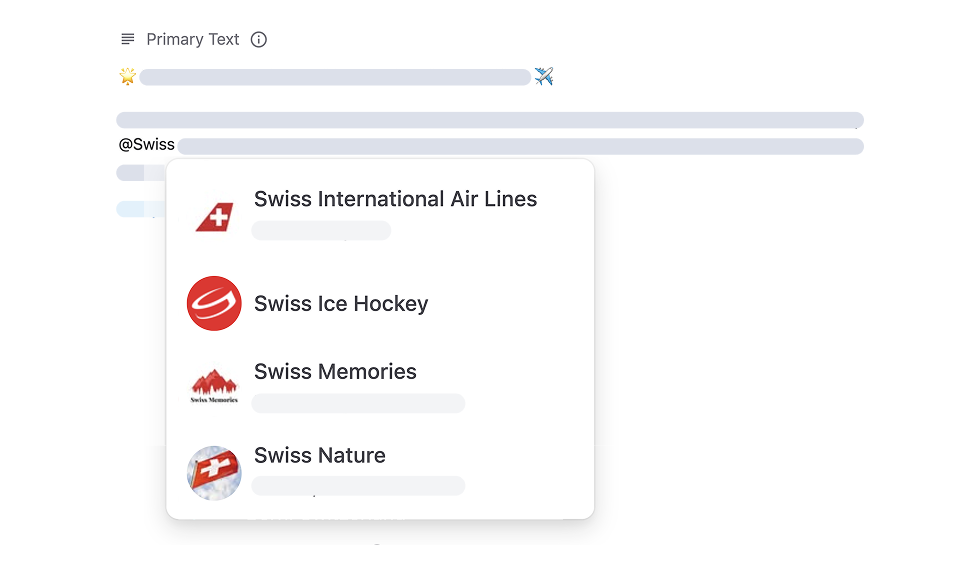
@Mentions and tagging features
Use @Mentions and tagging to target your target group and increase interaction.
Crossposting
A contribution for several channels — published in no time with ContentPaul.

AI editor with realistic previews
Create social media posts faster with AI support. Get ideas, strong phrases, and emoji suggestions for your content. Thanks to realistic previews, you can see exactly what your post will look like before it's published — and you can customize it optimally.

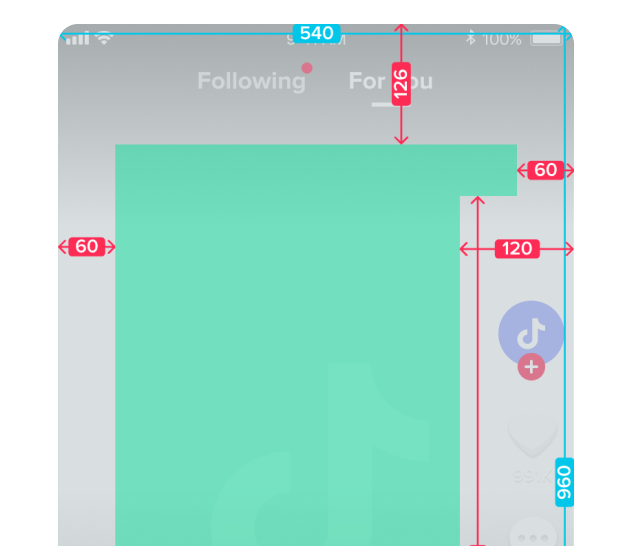
Integrated safe zone testing
Make sure that important content isn't obscured by cropping, UI elements, or advertising formats.
Collaborate and get approvals
Collaborate seamlessly with your team by sharing drafts, collecting feedback, and getting approvals directly within ContentPaul. No more confusing email flows — but clear, simple collaboration.


Start now for free
ContentPaul helps you plan social media content in a structured way, approve it cleanly and publish it reliably.